If you have ever tried to show live game stats on stream, you already know the standard approach: duplicate the game capture in OBS, crop it to the part of the screen showing the stat you want, and repeat for every stat you want visible.
It works. Until the game updates and shifts the UI. Until you change resolution. Until a menu opens mid-stream and the crop shows the wrong thing. By the time your overlay is showing a handful of stats, you are managing 20 or more sources and spending more time maintaining them than playing the game.
There is a cleaner way to do it.
Why the cloned sources approach breaks
When you crop a game capture in OBS you are telling it "the health bar lives at pixel 340 by 180." That works until it does not. Game updates move UI elements. Resolution changes shift where everything lands on screen. And games like Minecraft or Manor Lords change their UI depending on what you are doing — open a menu and the layout shifts, leaving your crops showing the wrong thing or nothing at all.
The deeper problem is that cloned and cropped sources are tied to position, not meaning. They do not know what health is. They just know that health used to be at a specific coordinate when you set them up.
What if the overlay knew what it was looking at
Instead of cropping a region and hoping the right thing appears there, you can read the actual value from the screen — find the health bar wherever it sits, identify what it is, and extract the number. The overlay then displays that number, not a pixel fragment of your game capture.
This is how Huudy works. It uses computer vision to scan your game screen, find HUD elements by appearance rather than position, and push the results to a local browser source that OBS or Meld Studio picks up automatically. One source. Live updates. Nothing to rebuild when the game patches.
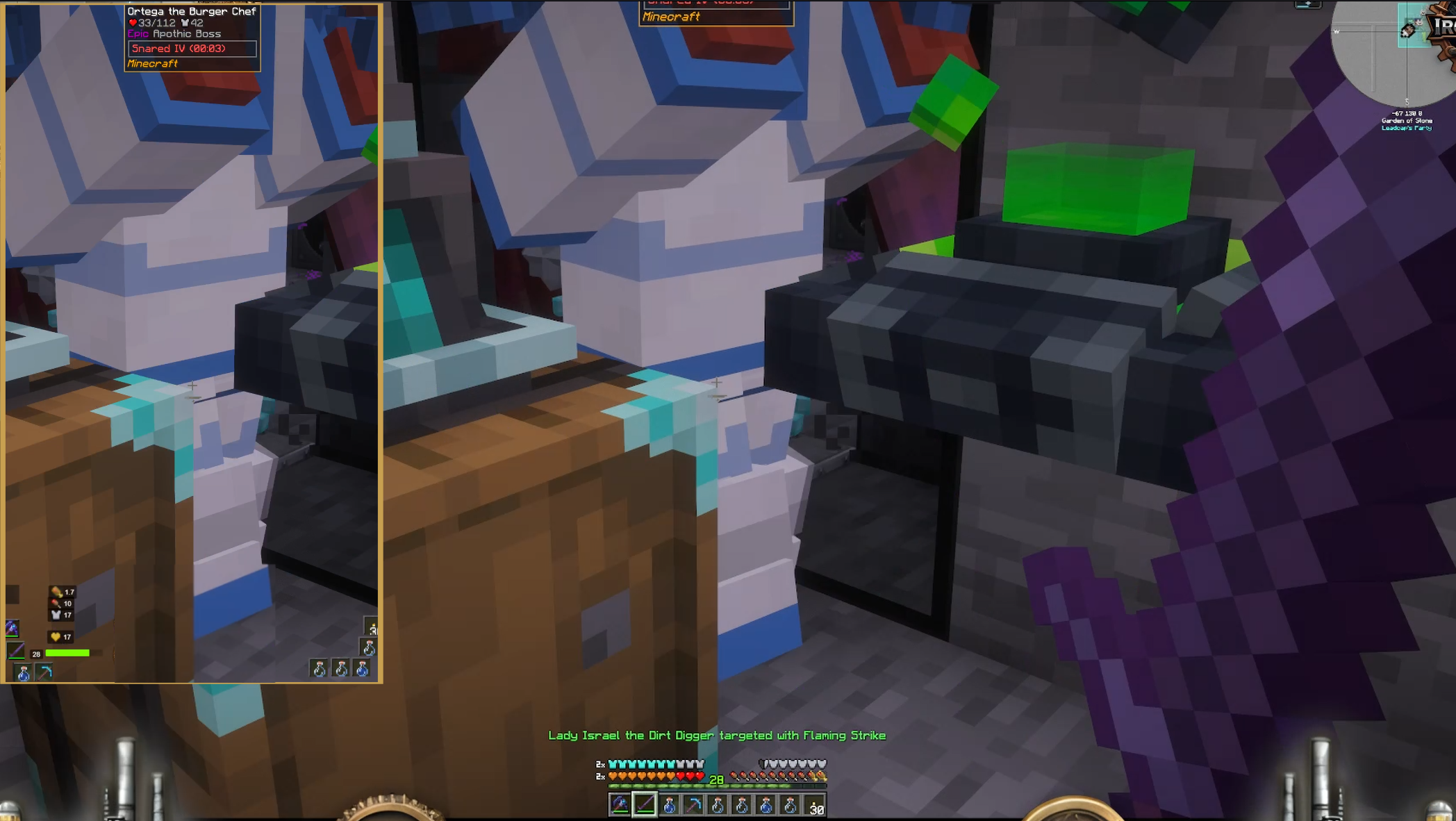
What Huudy reads live
Minecraft
- Health — including absorption, poisoned, withered, and frozen heart states
- Armor
- Hunger and satiation
- Experience level
- Hotbar inventory — live item images for all nine slots plus offhand
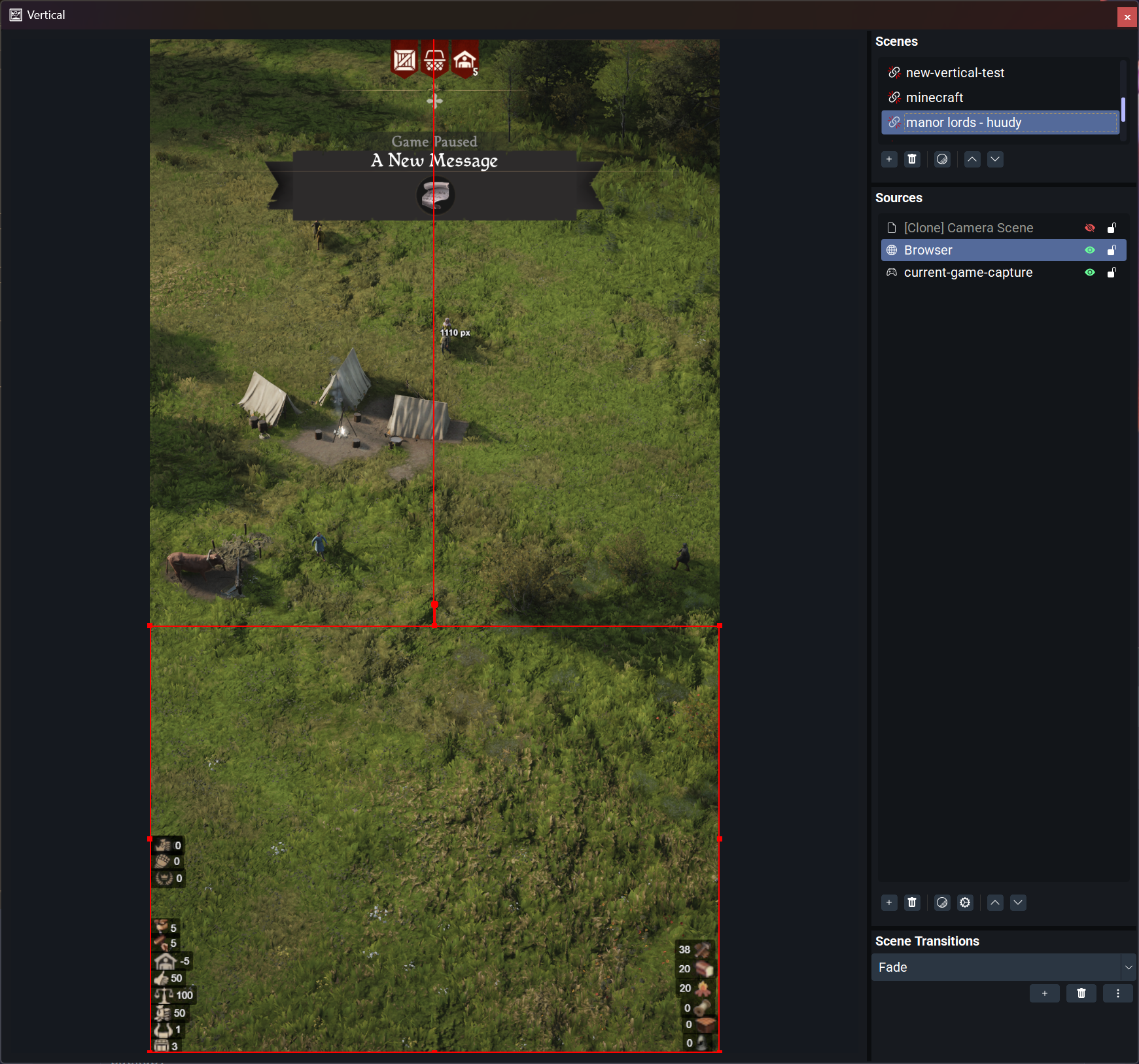
Manor Lords
- Population and family count
- Worker status
- Resource stocks: lumber, food, tools, construction materials, planks, and more
More games are in development. If you want a specific game supported, the Huudy Discord is the place to request it.
How to set it up
Setup takes under five minutes from a cold start.
- Download Huudy for free at huudy.app and install it
- Open Huudy and select your game from the plugin list
- Start your game — Huudy will begin reading the screen immediately
- Click Copy URL in the Huudy app to copy your overlay address
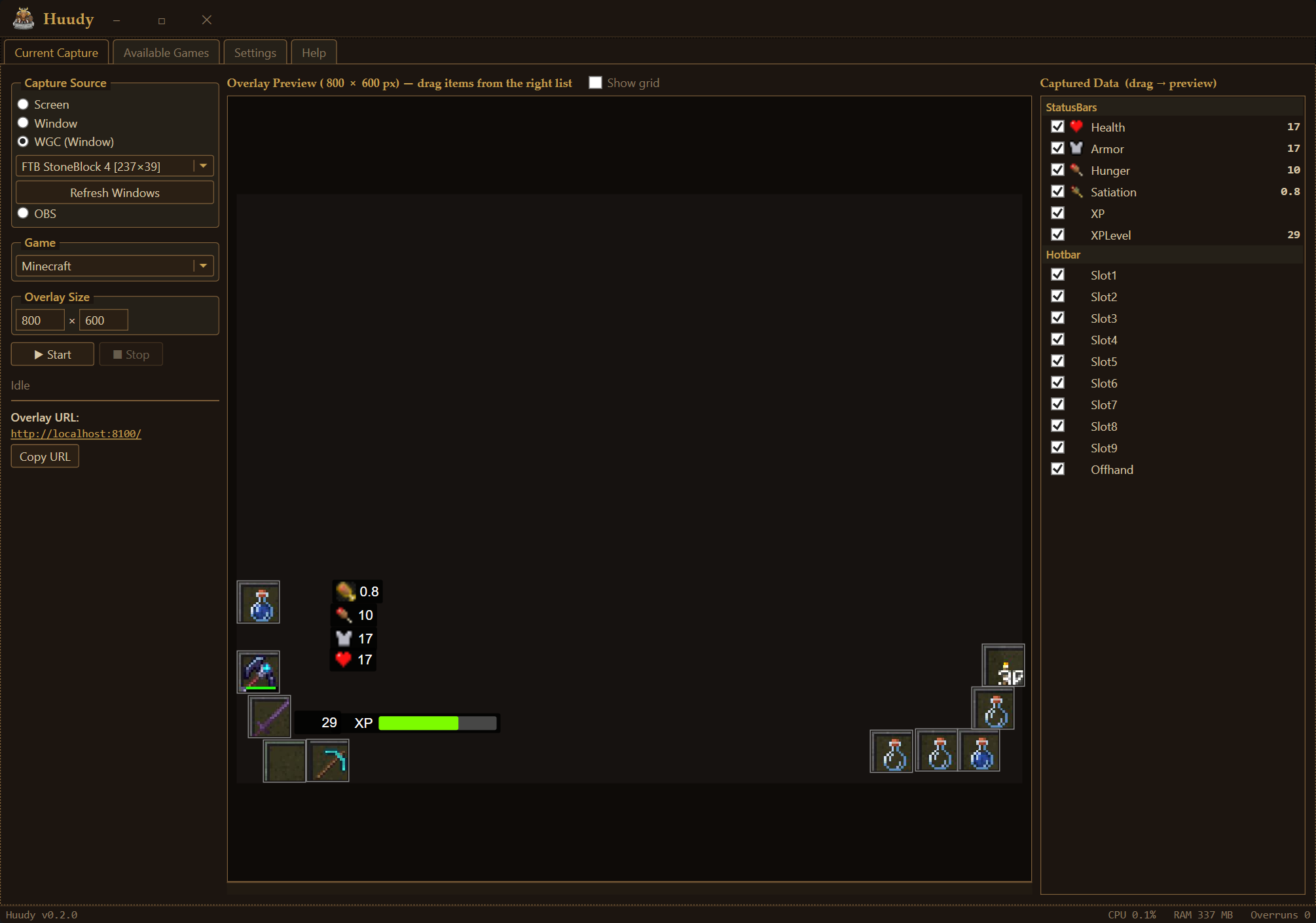
- In OBS or Meld Studio, add a Browser Source and paste the URL
- Position and resize the source in your scene
Your overlay is now live. Stats update automatically as the game changes. No mods, no game file changes, nothing that could trigger anti-cheat or break on the next update.
Free to try, one-time to unlock
The Huudy app is free to download and run indefinitely. The free tier displays the first category of stats with a small watermark — enough to see whether it works for your setup before spending anything.
Plugins are a one-time purchase with no subscription. Minecraft is $8. Manor Lords is $5. Purchasing removes the watermark and unlocks the full stat set for that game.
Common questions
Does this require game mods or file changes? No. Huudy reads your screen using computer vision. It does not touch game memory, files, or network traffic.
Will it break when the game updates? Much less likely than cropped sources. Huudy finds stats by what they look like rather than by fixed pixel coordinates. Minor UI shifts are usually handled automatically.
Does it work with any OBS scene layout? Yes. The overlay is a browser source, so you can position it, resize it, and apply filters the same way as any other source in your scene.
What resolution and GUI scale does it support for Minecraft? Huudy has been tested at 1080p and 1440p with GUI scale 2 and 3. Both work without any configuration changes.
Does it work in windowed and fullscreen modes? Yes, both are supported. Huudy reads the screen directly and does not depend on how OBS is capturing the game.
Download Huudy free at huudy.app. The Minecraft plugin is $8 and the Manor Lords plugin is $5, both one-time with no subscription. Setup takes less time than reading this post.